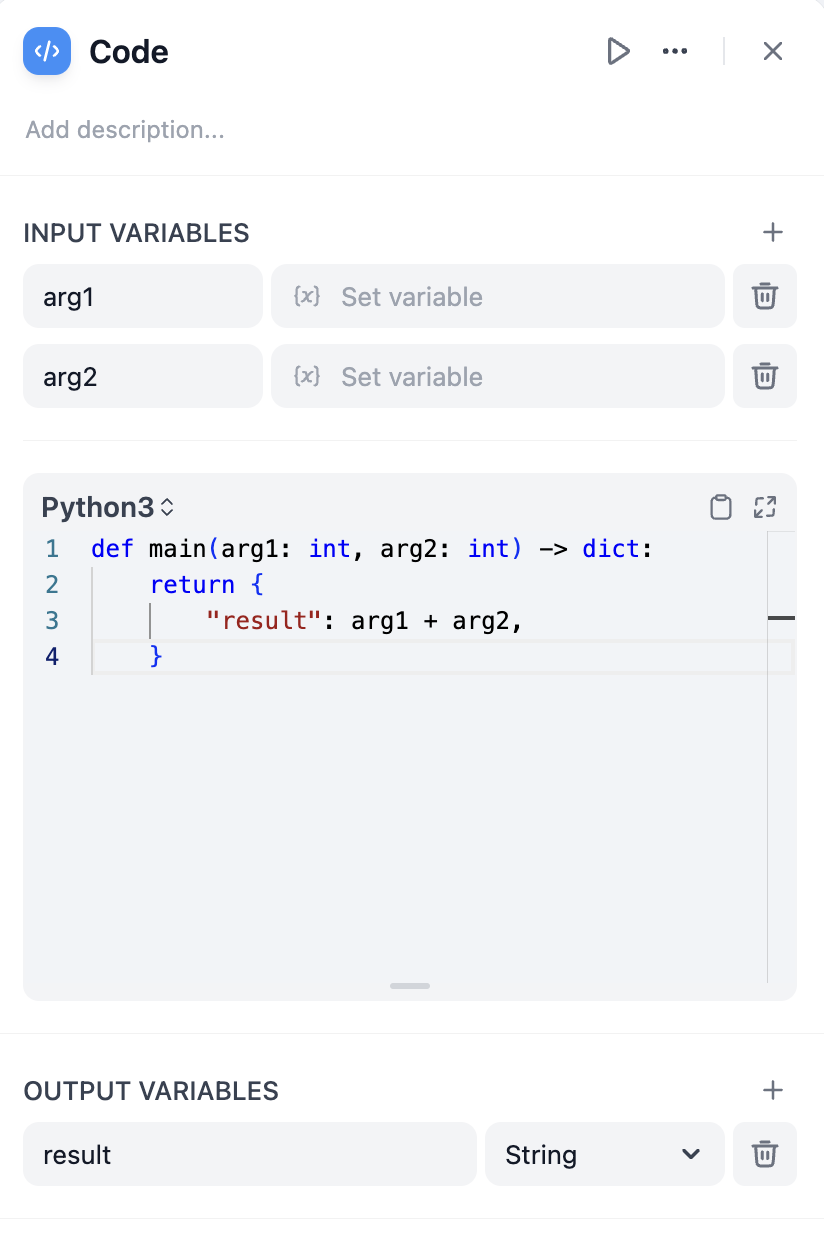
The Code node executes custom Python or JavaScript to handle complex data transformations, calculations, and logic within your workflow. Use it when preset nodes aren’t sufficient for your specific processing needs.
Configuration
Define Input Variables to access data from other nodes in your workflow, then reference these variables in your code. Your function must return a dictionary containing the Output Variables you’ve declared.
def main(input_variable: str) -> dict:
# Process the input
result = input_variable.upper()
return {
'output_variable': result
}
Language Support
Choose between Python and JavaScript based on your needs and familiarity. Both languages run in secure sandboxes with access to common libraries for data processing.
Python includes standard libraries like json, math, datetime, and re. Ideal for data analysis, mathematical operations, and text processing.def main(data: list) -> dict:
import json
import math
average = sum(data) / len(data)
return {'result': math.ceil(average)}
JavaScript provides standard built-in objects and methods. Good for JSON manipulation and string operations.function main(data) {
const processed = data.map(item => item.toUpperCase());
return { result: processed };
}
Error Handling and Retries
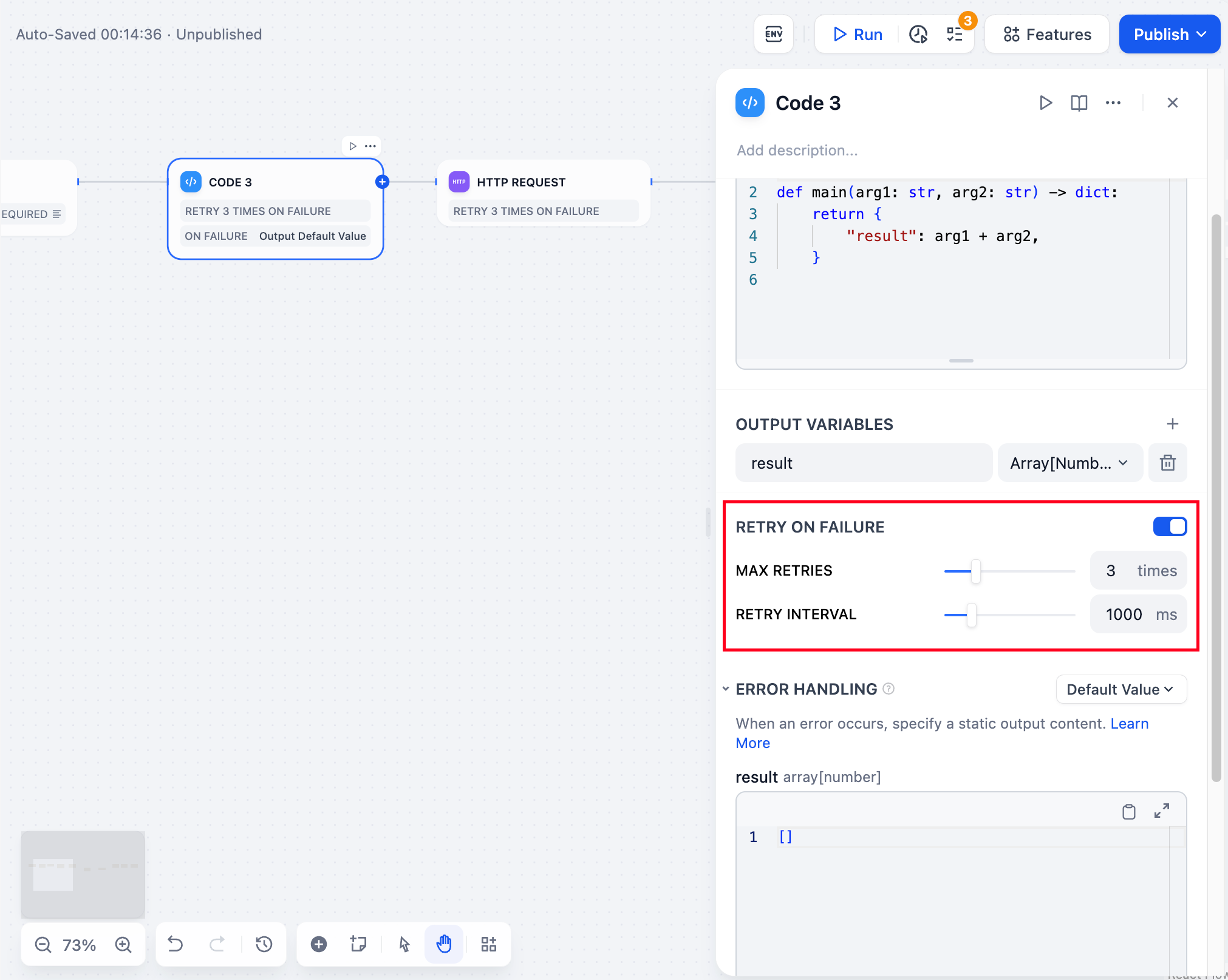
Configure automatic retry behavior for failed code executions and define fallback strategies when code encounters errors.
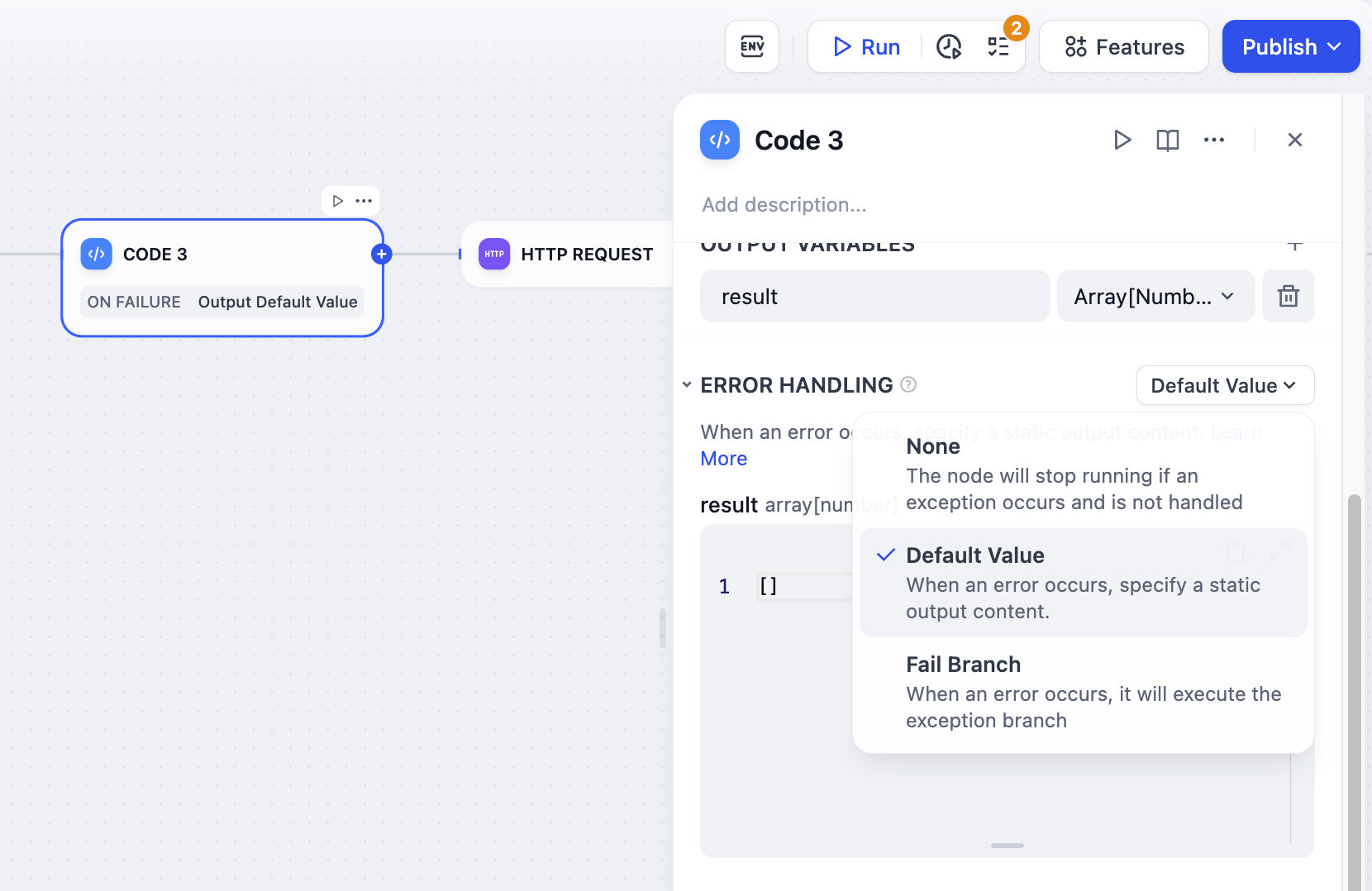
Retry Settings allow up to 10 automatic retries with configurable intervals (maximum 5000ms). Enable this for handling temporary processing issues.
Error Handling lets you define fallback paths when code execution fails, allowing your workflow to continue running even when the code encounters problems.
Output Limits
Before an output passes to the next node, Dify checks that it isn’t too large:
- Strings: up to 400,000 characters.
- Numbers: whole numbers up to 19 digits, and decimals up to 20 places.
- Objects and arrays: nested up to five levels deep.
An output that exceeds a limit fails the check, so trim or split large results before returning them.
Security Considerations
Code runs in an isolated sandbox that blocks file system access, outbound network requests, and system commands. The sandbox keeps execution separated from the underlying infrastructure while still giving you the flexibility of writing custom code.
Because of this isolation, operations that reach outside the sandbox are blocked automatically. Avoid reading system files, opening network connections, or running shell commands; restructure your logic to work with the input variables and libraries available inside the sandbox instead.
Dependencies Support
Code nodes support external dependencies for both Python and JavaScript:
# Python: Import numpy, pandas, requests, etc.
import numpy as np
import pandas as pd
def main(data: list) -> dict:
df = pd.DataFrame(data)
return {'mean': float(np.mean(df['values']))}
// JavaScript: Import lodash, moment, etc.
const _ = require('lodash');
function main(data) {
return { unique: _.uniq(data) };
}
A standard set of packages is pre-installed in the sandbox environment. Imports outside that set will fail at execution time. Last modified on July 2, 2026